
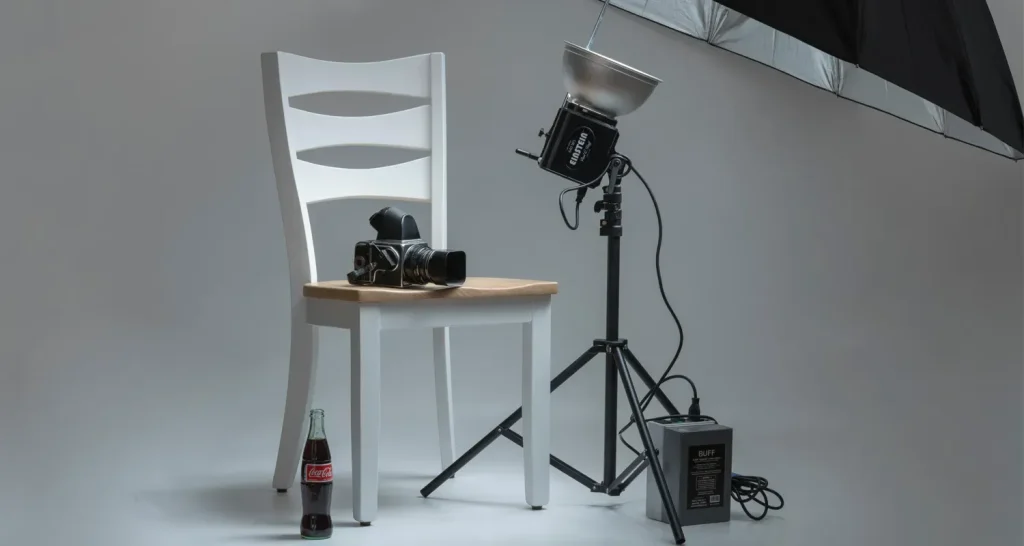
Product photography hacks are the secret weapon that turns a scrolling thumb into a buyer. In the print on demand world, clear visuals drive clicks, conversions, and brand trust. From lighting to styling, apply practical steps that boost listing quality without a costly studio. These techniques help you tell a convincing story with color accuracy and clean composition. A consistent approach to framing and lighting strengthens your catalog and supports strong POD performance.
These ideas also translate into practical print on demand photography tips that streamline your workflow. For listing optimization, POD listing optimization helps maintain consistency across product photos, while ecommerce product photography best practices guide alt text and naming strategies.
1) Product Photography Hacks for POD Success: Lighting, Setup, and Consistency
Product photography hacks are the backbone of compelling POD listings. Light plays a decisive role in how a product reads on screen, and a soft, even setup can reveal texture and color without harsh shadows. By investing in a simple two to three light arrangement, plus a white reflector to fill shadows, you create images that feel true to life and ready for ecommerce product photography contexts.
Consistency is the secret sauce that turns good photos into a recognizable brand aesthetic. Establish a repeatable lighting and backdrop system so every product in a collection shares a cohesive look. This not only supports POD listing optimization but also reinforces trust with shoppers across your storefronts and marketplaces.
2) Print on Demand Photography Tips: Color Accuracy and Backdrops that Sell
Color accuracy is non-negotiable for print on demand photography tips. Shooting in RAW, using a gray card, and setting the white balance to the scene’s lighting conditions helps ensure the colors you deliver match what the customer will receive. These steps reduce returns and improve perceived value in ecommerce product photography.
Backdrops matter as much as the product itself. A clean white or light neutral backdrop keeps attention on the item, while the occasional solid color or soft gradient can help a product pop without distraction. Consistency across a catalog supports POD listing optimization by making a collection feel intentional and well-curated.
3) Optimizing for Conversions: How to Build High-Converting POD Listings with Photos
The hero image is a shopper’s first impression and a key driver of high-converting POD listings. Build a gallery that shows the product from multiple angles, includes a scale shot, and highlights important details. Consistent lighting, color balance, and cropping across images help buyers feel confident about what they will receive, reinforcing ecommerce product photography best practices.
Context shots that demonstrate scale and usage are powerful, especially for apparel and home decor. When photography highlights how a product fits into real life, you reduce ambiguity and increase perceived value. This approach aligns with POD listing optimization and supports conversion-focused storytelling through visuals.
4) POD Listing Optimization: Metadata, Alt Text, and Image Cropping
File naming and metadata are not cosmetic; they directly impact search visibility in POD platforms and image search. Name images with keywords that reflect the product and category, and use descriptive, keyword-rich alt text to improve accessibility and SEO. This is a practical facet of POD listing optimization and ecommerce product photography alignment.
Choosing the right crop and aspect ratio matters on every platform. Most marketplaces prefer square thumbnails with room for edge space, but including a tall or wide shot in the gallery helps customers understand real-world appearance. Aligning image composition with platform requirements boosts discoverability and reduces surprise after purchase.
5) Ecommerce Product Photography: Texture, Color, and Detail Across Products
Texture and color are central to ecommerce product photography. Close-ups and controlled lighting reveal fabric weave, embossed details, and surface finish, which can set expectations and lower return risk. Thoughtful post-processing preserves these details without introducing color shifts or halos, keeping images faithful to the actual product.
Maintaining a consistent color profile and calibrated monitor ensures that all catalog images share a uniform look. Use presets or standardized post-processing steps so every item—whether wall art, apparel, or home goods—appears cohesive. This consistency strengthens your brand’s trust signal in POD listings and ecommerce product photography.
6) A/B Testing and Continuous Improvement in POD Imagery
Testing is essential for incremental gains. Try two or three lighting setups, backdrops, or styling choices and compare performance metrics like CTR, time on listing, and conversion rate. While direct sales attribution to a single image may be limited, you can observe shifts in engagement and make data-driven decisions to improve your POD listings.
Build a repeatable workflow that makes testing feasible and scalable. Create a checklist for each shoot, track changes, and document observed outcomes. Over time, this disciplined approach leads to higher-converting images and a stronger ecommerce product photography presence across your storefronts.
Frequently Asked Questions
What are essential product photography hacks for creating high-converting POD listings?
Key hacks focus on lighting, backdrops, and consistency. Use a soft, three-light setup with a large diffused source to reveal texture and true color, and choose a clean white or light-neutral backdrop to keep the product as the focus. Shoot in RAW when possible and calibrate white balance with a gray card to ensure color accuracy across listings. Maintain consistent framing and cropping, and use descriptive alt text and keyword-rich file names to support POD listing optimization and ecommerce product photography.
How can print on demand photography tips improve POD listing optimization and conversions?
Apply practical POD listing optimization by building a gallery with multiple angles, including a scale shot and a close-up of key details, all with consistent lighting and color. Use platform-friendly crops, square thumbnails, and optimized exports. Name files with product keywords and craft alt text that describes uses or features, supporting ecommerce product photography across listings. Regularly test different backdrops or lighting setups to identify which images drive higher click-through and conversions.
What role does lighting play in ecommerce product photography for POD listings?
Lighting is foundational. A soft, diffused three-light setup reduces harsh shadows and renders texture accurately, while white balance calibration and RAW workflow preserve true colors. A gray card helps standardize exposure across products, and consistent lighting across your POD listings supports coherent POD listing optimization and higher perceived quality in ecommerce product photography.
How does POD listing optimization leverage ecommerce product photography to boost visibility and sales?
POD listing optimization benefits from consistent image sizing (square thumbnails and key aspect ratios), descriptive alt text, keyword-rich file names, and a focused hero image. Include context shots for scale, ensure color consistency across colors, and align image crops with platform guidelines to improve search visibility and click rates in ecommerce product photography.
What common mistakes should you avoid with product photography hacks for print on demand?
Avoid over-editing and color shifting that misrepresents the product, cluttered frames that distract from the item, and inconsistent backdrops or lighting, which damage trust and POD listing optimization. Don’t neglect alt text or platform-specific image requirements, and skip unrelated props that steal attention from the product.
How can you measure the impact of product photography hacks on your high-converting POD listings?
Use A/B testing on two or three lighting setups, backdrops, or styling choices and compare metrics like CTR, time-on-listing, and conversion rate. Track changes in store analytics after image updates, document what changed, and iterate. This data-driven approach hardens your ecommerce product photography strategy and enhances POD listing optimization over time.
| Key Point | Summary |
|---|---|
| Lighting and Setup | Soft, even lighting with two to three lights (main at ~45°; secondary opposite) and a large diffuse source; white reflector to fill shadows; color accuracy, shooting in RAW with a gray card when possible; aim for consistent lighting across listings. |
| Backgrounds and Props | Clean white or light neutral backdrops; occasional color or soft gradient to help the product pop; maintain consistency across a collection; use minimal, purposeful props to convey scale without overpowering the product. |
| Camera Settings | Tripod; manual mode; aperture around f/8–f/11 for texture; low ISO; appropriate shutter speed; consider polarizers for glare on reflective surfaces; shoot RAW for post-processing flexibility. |
| Focus and Detail | Use single-point autofocus; for complex textures consider focus stacking to keep the entire surface sharp from front to back. |
| Post Processing | White balance corrections, controlled exposure, subtle clarity/texture enrichment, careful sharpening; maintain a consistent color profile; calibrate monitor; export with platform-friendly crops and aspect ratios. |
| Listing Optimization and Metadata | Gallery with multiple angles, scale shot, and close-ups; consistent lighting and cropping; descriptive, keyword-rich file names; informative alt text; use appropriate image crops per platform. |
| Workflow and Reproducibility | Create a repeatable shoot checklist covering lighting, backdrop, camera settings, and post-processing steps to build a reliable production pipeline for your entire catalog. |
| Testing and Mistakes to Avoid | Run A/B tests on lighting/backdrops; track metrics like CTR and conversions; avoid over-editing, color shifts, cluttered frames, and inconsistent tones that erode trust. |